
Description
VGA to HDMI Converter with Audio & USB Power
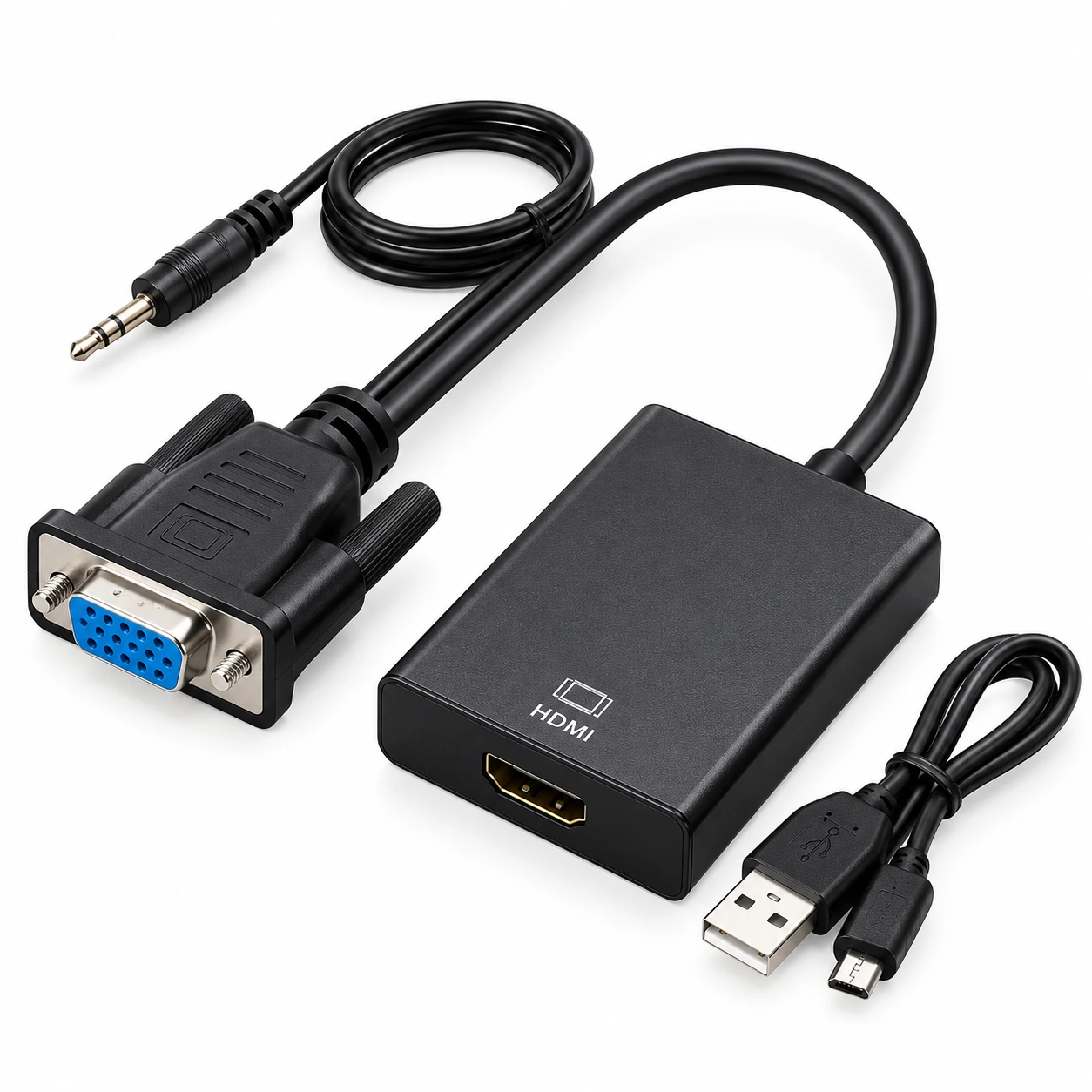
The VGA to HDMI Converter provides a practical way to connect a computer, laptop or other compatible device with a VGA video output to a modern TV, monitor or projector equipped with an HDMI input.
Because VGA and HDMI use different signal technologies, this is an active signal converter rather than a simple connector adapter. It converts the incoming analog VGA video signal into a digital signal suitable for output through HDMI.
Convert VGA Output to HDMI
Older desktop computers, laptops and other equipment may provide VGA output while newer displays increasingly use HDMI. This converter bridges the two interfaces, allowing compatible VGA source equipment to be used with an HDMI display.
The signal direction is:
VGA source → Converter → HDMI display
VGA Video with Audio to HDMI
VGA itself carries video rather than audio. This converter therefore provides a separate audio connection so compatible audio from the source device can be combined with the converted video for transmission to the HDMI display.
This makes the adapter useful when connecting a computer to an HDMI television, monitor or projector where both picture and sound are required.
USB-Powered Active Converter
The converter requires a USB power connection to operate its internal signal-conversion circuitry. Connect the supplied USB power cable to a suitable USB power source when using the converter.
The exact required USB current should be confirmed from the product documentation or markings before specifying a particular amperage.
Plug-and-Play Setup
The adapter is designed for straightforward installation without requiring separate conversion software or drivers for normal use.
- Connect the VGA input to the VGA output of your computer or laptop.
- Connect the audio cable between the source device and the converter when audio is required.
- Connect an HDMI cable from the converter’s HDMI output to the HDMI input of your display.
- Connect the USB power cable to a suitable USB power source.
- Select the corresponding HDMI input on your television, monitor or projector.
Suitable Applications
- Older desktop PC to HDMI monitor
- VGA laptop to HDMI TV
- Computer to HDMI projector
- Office presentation systems
- Classroom display installations
- Home multimedia setups
- Using legacy VGA equipment with newer HDMI displays
Product Specifications
| Product Type | Active VGA to HDMI converter |
| Video Input | VGA |
| Video Output | HDMI |
| Conversion Direction | VGA → HDMI |
| VGA Signal | Analog video |
| HDMI Output | Digital audio/video interface |
| Audio Support | Yes, through separate audio input |
| Power | USB powered |
| Software/Drivers | No additional software required for normal operation |
| Typical Displays | HDMI TVs, monitors and projectors |
Important Compatibility Information
This converter is directional. It is designed to take a VGA source and provide an HDMI output. It should not be purchased for converting an HDMI source to a VGA monitor.
VGA does not carry audio, so the separate audio connection must be used when sound is required through HDMI.
The converter also requires USB power for its internal electronics. USB is used to power the converter and should not be confused with the VGA video input or HDMI output.
Before Ordering
- Confirm that your source device provides VGA video output.
- Confirm that your destination display has an HDMI input.
- Use the audio connection if HDMI audio output is required.
- Connect USB power during operation.
- Remember that the adapter works from VGA to HDMI, not HDMI to VGA.
- Confirm any required resolution or refresh-rate specification before purchase if it is critical to your installation.
Buy VGA to HDMI Converter in Kenya
Buy the VGA to HDMI Converter with Audio and USB Power from Marcnet Gadgets for connecting compatible older VGA computers and laptops to modern HDMI televisions, monitors and projectors. It provides active video conversion, audio integration and USB-powered operation in a compact adapter suitable for home, office and presentation setups.
Explore more HDMI Converters at Marcnet Gadgets.
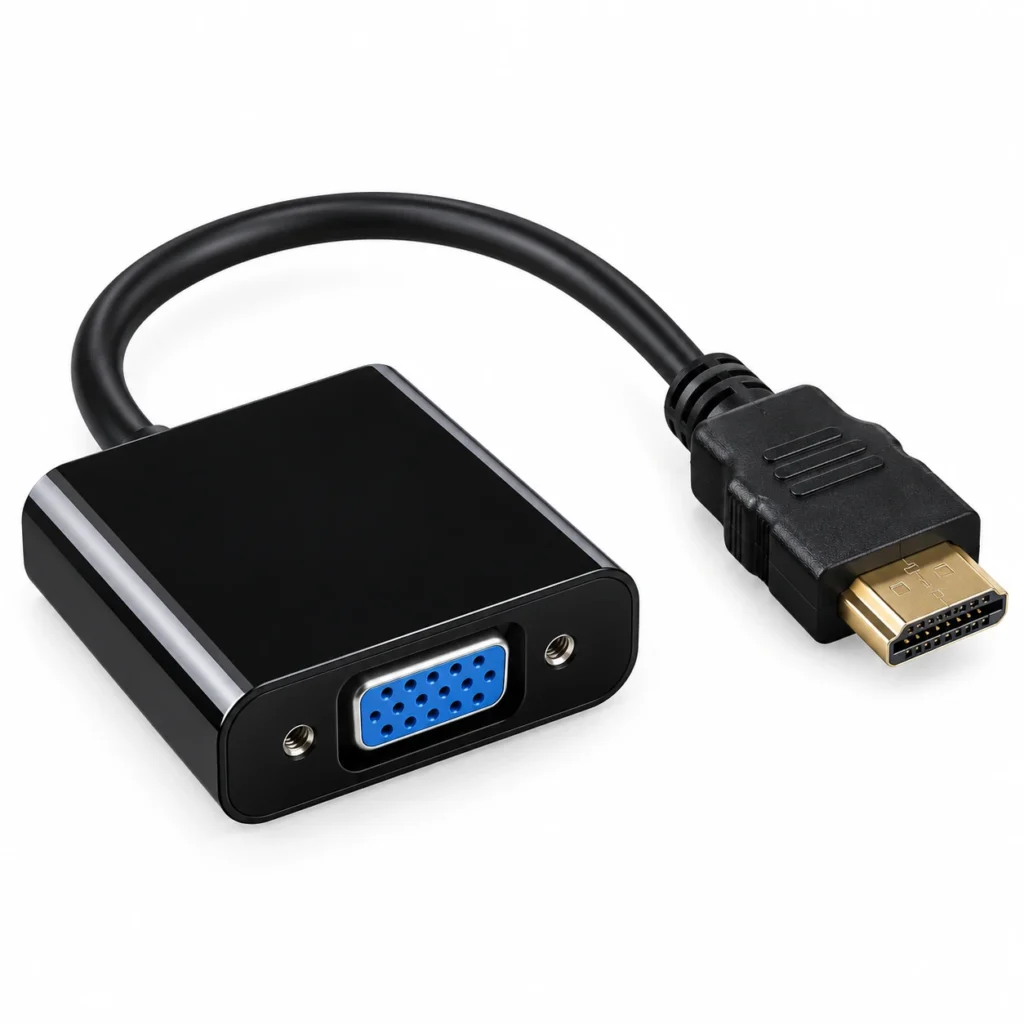
For a closely related option, see HDMI to VGA Adapter Converter 1080p with Built-in Chip.
Reviews
There are no reviews yet.