
Description
4-Way HDMI Video Switcher with 5-Inch Screen for Live Streaming
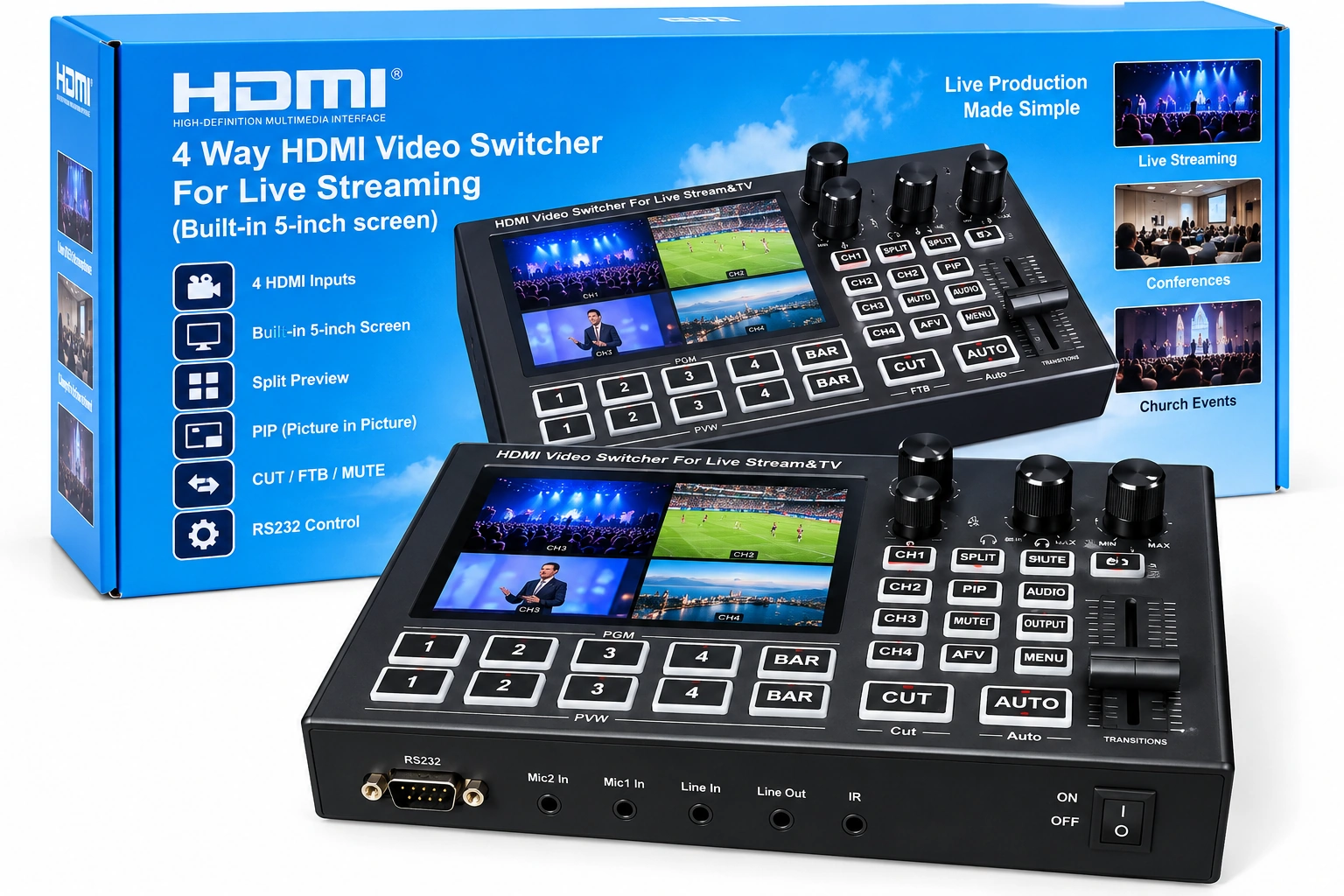
The 4-Way HDMI Video Switcher with Built-in 5-Inch Screen is a compact multi-camera production switcher designed for live streaming, events, presentations and other video-production environments. It combines multiple HDMI source switching with an integrated monitoring display and dedicated physical production controls.
Unlike a basic HDMI selector, this unit is designed around a live-production workflow. Multiple compatible cameras and other video sources can be connected to the switcher, monitored and controlled from a single production console.
Built-in 5-Inch Monitoring Screen
A major feature of this video switcher is its integrated 5-inch display. The built-in screen allows the operator to monitor video directly from the switcher without relying exclusively on a separate external monitor.
This can help create a more compact production workstation for mobile livestreaming, event production, churches, studios, conferences and other multi-camera installations.
4-Way HDMI Video Switching
The switcher is designed to handle four HDMI video sources. Compatible cameras, laptops and other HDMI source equipment can form part of the production setup, allowing the operator to select between different feeds during a live programme.
A four-source configuration can be particularly useful when covering a speaker, audience, stage or presentation from several different camera angles.
Split Preview Monitoring
The supplied product information confirms split preview functionality. This provides the operator with a convenient way to monitor multiple video sources as part of the live-production workflow.
Multi-source monitoring can make it easier to decide which camera or video source should be selected before changing the live programme feed.
Picture-in-Picture (PIP)
The switcher includes a Picture-in-Picture (PIP) function. PIP is useful when one video source needs to remain visible while another source is displayed within the same composition.
This type of layout can be useful for presentations, interviews, demonstrations, teaching sessions and other productions that combine multiple visual sources.
CUT Switching
The dedicated CUT function provides direct switching between video sources. This is useful when an immediate change between camera angles or other connected sources is required without a transition effect.
FTB – Fade to Black
The switcher also provides an FTB (Fade to Black) function. Fade to Black is commonly used when beginning or ending a production segment, temporarily taking the programme output to black, or creating a cleaner transition during a live programme.
Mute Control
A dedicated MUTE function provides convenient control where audio needs to be silenced during the production workflow.
RS232 Control
The supplied product information and connection diagram identify an RS232 control interface. RS232 can provide a control interface for compatible external systems and specialised installations.
Where RS232 automation or integration is required, confirm the command protocol and compatibility with the intended control equipment before installation.
External Audio and Microphone Connections
The product connection diagram shows support for external audio source, microphone and earphone/headphone connections. This allows the video switcher to form part of a broader audiovisual production setup rather than handling video sources alone.
The exact input/output levels and connector requirements should be matched to the microphones, mixer or other audio equipment used in the installation.
Multi-Camera Production Applications
The combination of four video sources, integrated monitoring and physical production controls makes this switcher suitable for applications such as:
- Church livestreaming
- Conference and seminar production
- Multi-camera event coverage
- Wedding livestream production
- Studio programmes
- Online interviews
- Training and educational broadcasts
- Corporate presentations
- Content-creation studios
- Other compatible multi-camera HDMI workflows
Camera, Laptop and Display Integration
The supplied connection diagram illustrates a production workflow using compatible video cameras, cameras and a laptop as video sources. External displays can then form part of the monitoring and programme-output arrangement.
This architecture makes the switcher suitable for productions that combine traditional cameras with computer-generated presentations, graphics or other HDMI content.
Physical Production Controls
The control surface provides dedicated buttons, rotary controls and a transition control rather than requiring all production functions to be operated through computer software.
Physical controls can be particularly useful during live events where the operator needs rapid access to frequently used switching functions.
Product Specifications
| Product Type | Multi-Camera HDMI Video Switcher |
|---|---|
| Video Sources | 4-way HDMI switching |
| Built-in Display | 5-inch screen |
| Monitoring | Built-in monitoring and split preview |
| Picture-in-Picture | Yes – PIP |
| CUT | Yes |
| FTB | Yes – Fade to Black |
| Mute | Yes |
| External Control | RS232 |
| Audio Connectivity | External audio connections shown |
| Microphone Connectivity | Microphone connections shown |
| Monitoring Audio | Earphone connection shown |
| Primary Use | Live streaming and multi-camera video production |
Why the Built-in Monitor Matters
For a portable livestream setup, reducing the number of separate devices can simplify installation and operation. The integrated 5-inch screen gives the operator an immediate visual reference directly on the switching console while maintaining access to the physical switching controls.
This makes the unit particularly practical for mobile production teams and installations where available desk or equipment-rack space is limited.
Before Ordering
Confirm the HDMI output formats of the cameras, computers and other source equipment you intend to connect. Also check the required audio connections, external displays and streaming or capture equipment needed for your complete production workflow.
Resolution and maximum frame-rate specifications have not been stated in this listing because they have not yet been verified for this exact unit. If a particular resolution or frame rate is essential to your production, confirm it before purchase.
Buy a 4-Way HDMI Video Switcher in Kenya
Order the 4-Way HDMI Video Switcher with Built-in 5-Inch Screen from Marcnet Gadgets in Kenya for multi-camera live streaming, churches, conferences, events, studios and professional audiovisual production setups requiring integrated monitoring and physical switching controls.
Explore more Video Switchers at Marcnet Gadgets.
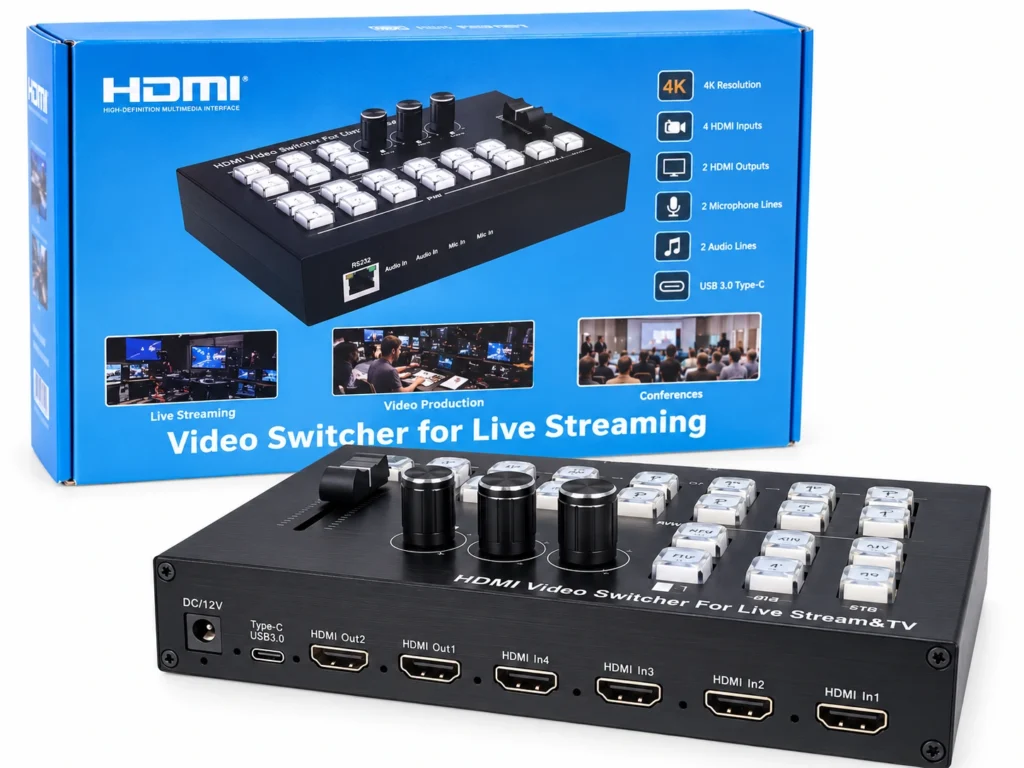
For a closely related option, see 4-Port HDMI Video Switcher for Live Streaming – 4 Inputs, 2 Outputs.
Reviews
There are no reviews yet.